设置消息属性值
将消息中的某个属性设置为固定值
问题背景
需要将消息中的某个属性设置为固定值
解决方案
使用 调整消息属性 节点设置消息的属性
示例
假设需要将消息中的 payload 属性设置为固定值 Hello World,则可以使用 调整消息属性 节点设置消息的属性。
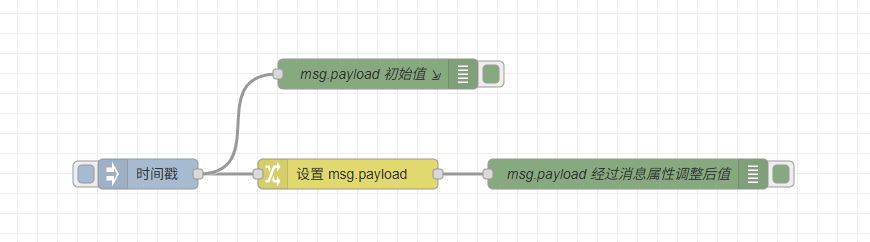
示例JSON
[{"id":"ef4d89b6eeb34af0","type":"inject","z":"6000e185a1adf971","name":"","props":[{"p":"payload"},{"p":"topic","vt":"str"}],"repeat":"","crontab":"","once":false,"onceDelay":"","topic":"","payload":"","payloadType":"date","x":290,"y":220,"wires":[["dae38d67f64283e3","3f6b8646abf40429"]]},{"id":"dae38d67f64283e3","type":"change","z":"6000e185a1adf971","name":"","rules":[{"t":"set","p":"payload","pt":"msg","to":"Hello World!","tot":"str"}],"action":"","property":"","from":"","to":"","reg":false,"x":490,"y":220,"wires":[["3cf702b7e9b4aab7"]]},{"id":"3cf702b7e9b4aab7","type":"debug","z":"6000e185a1adf971","logName":"msg.payload 经过消息属性调整后值","active":true,"tosidebar":true,"console":false,"tostatus":false,"complete":"payload","targetType":"msg","statusVal":"","statusType":"auto","logLevel":"info","dataType":"field","syntax":"mustache","template":"","x":770,"y":220,"wires":[]},{"id":"3f6b8646abf40429","type":"debug","z":"6000e185a1adf971","logName":"msg.payload 初始值","active":true,"tosidebar":true,"console":true,"tostatus":false,"complete":"payload","targetType":"msg","statusVal":"","statusType":"auto","logLevel":"info","dataType":"field","format":"handlebars","syntax":"mustache","template":"输出日志: payload 值为 {{payload}}","output":"str","x":520,"y":120,"wires":[]}]
运行结果
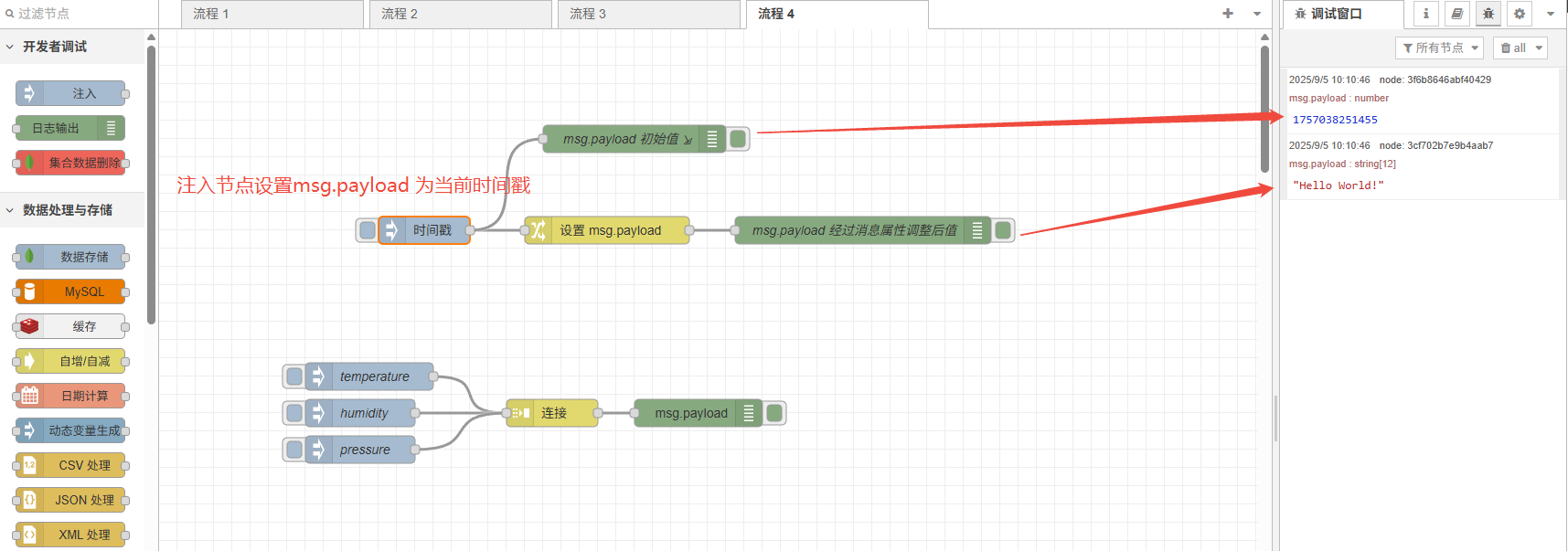
点击注入按钮,触发消息,msg.payload 设置的是当前时间戳,通过 消息属性调整 节点,将 msg.payload 设置为 Hello World!
扩展
调整消息属性 还可以用与设置其他消息属性,支持设置 JavaScript 类型的属性值 和 Ocs-Controller 支持的其他类型:
strings: "hello world"
numbers: 42
boolean: true/false
timestamp: 当前时间戳
JSON: 可以解析为对象的json字符串
Buffer: Node.js Buffer 对象
还支持上下文和全局属性的设置