HTTP 请求-动态查询参数
在 URL 中动态设置查询字符串参数
问题背景
为 HTTP 请求 动态设置 URL 的查询字符串参数。
解决方案
利用 HTTP 请求 节点对 Mustache 模板的支持,直接在 URL 中替换查询参数字符串。
示例
注入 节点生成一个要在 URL 中发送的查询字符串。调整消息属性 节点将其更改为 msg.postId,然后将其替换到 HTTP 请求 节点的 URL 属性中配置的 Mustache 模板中,如下所示:
https://jsonplaceholder.typicode.com/comments?postId={{postId}}
该流程包含四个节点:
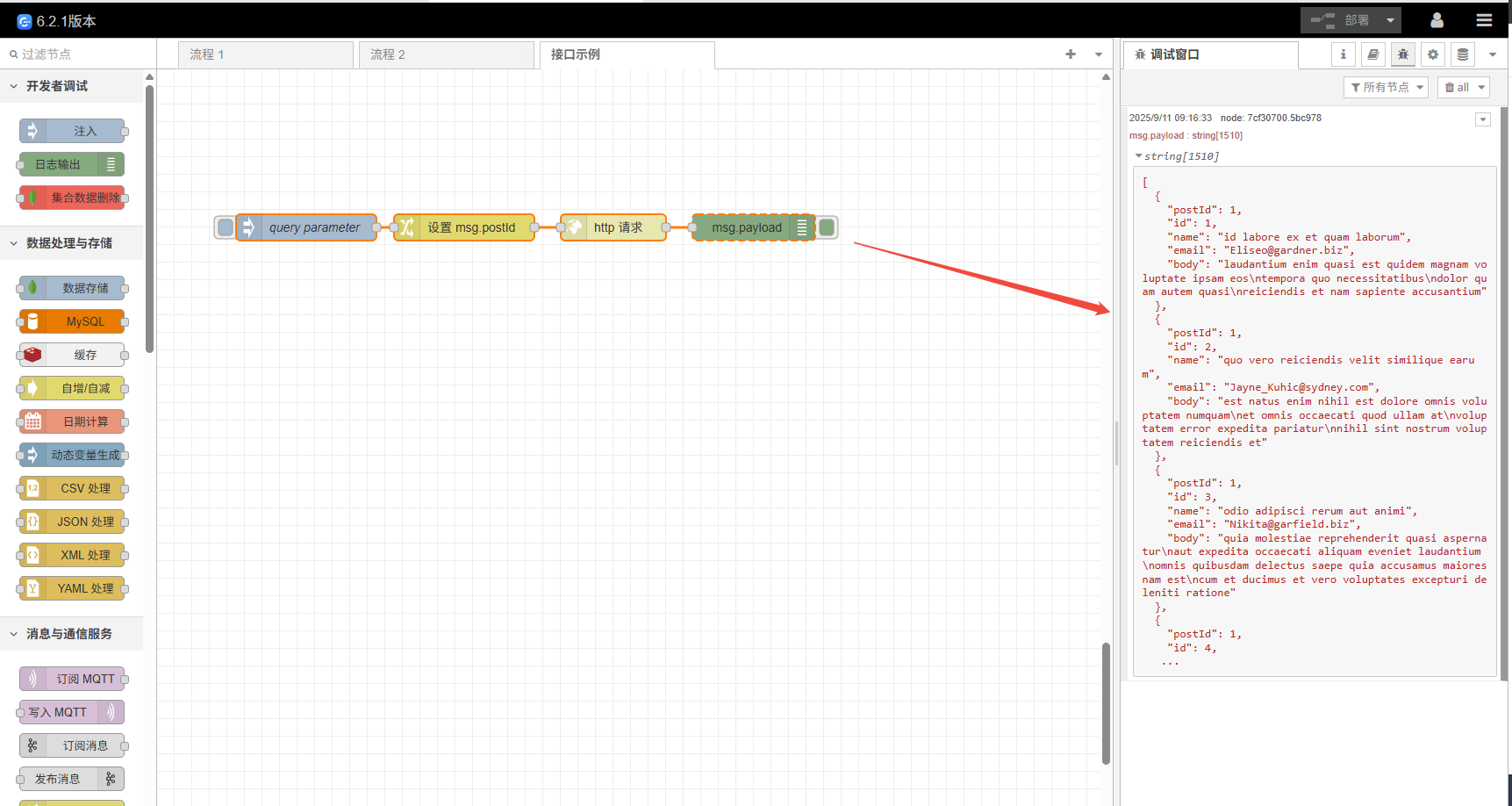
注入节点: 配置为每当触发时,发送一个 postId 作为 msg.payload。调整消息属性节点: 将 msg.payload 的值复制到 msg.postId 属性中。HTTP 请求节点: 发送 GET 请求。其 URL 配置为https://jsonplaceholder.typicode.com/comments?postId={{postId}}。它会用 msg.postId 的值替换{{postId}}。请注意使用了双花括号{{ }}以避免 URL 编码。日志输出节点: 显示HTTP 请求节点返回的 msg.payload 内容。

示例JSON
[{"id":"e95c6faa.ab2e1","type":"http request","z":"65b5dbf44a0ca401","name":"","method":"GET","ret":"txt","paytoqs":"ignore","url":"https://jsonplaceholder.typicode.com/comments?postId={{postId}}","tls":"","persist":false,"proxy":"","insecureHTTPParser":false,"authType":"","senderr":false,"headers":[],"x":520,"y":4080,"wires":[["7cf30700.5bc978"]]},{"id":"7cf30700.5bc978","type":"debug","z":"65b5dbf44a0ca401","logName":"","active":true,"tosidebar":true,"console":false,"tostatus":false,"complete":"payload","targetType":"msg","statusVal":"","statusType":"auto","logLevel":"info","dataType":"field","syntax":"mustache","template":"","x":680,"y":4080,"wires":[]},{"id":"637d3c55.eb3084","type":"inject","z":"65b5dbf44a0ca401","name":"query parameter","props":[{"p":"payload"},{"p":"topic","vt":"str"}],"repeat":"","crontab":"","once":false,"onceDelay":"","topic":"","payload":"1","payloadType":"str","x":170,"y":4080,"wires":[["b001d489.d8f818"]]},{"id":"b001d489.d8f818","type":"change","z":"65b5dbf44a0ca401","name":"","rules":[{"t":"set","p":"postId","pt":"msg","to":"payload","tot":"msg"}],"action":"","property":"","from":"","to":"","reg":false,"x":350,"y":4080,"wires":[["e95c6faa.ab2e1"]]}]
运行结果
点击 注入 节点时会查询注入节点的 msg.payload 设置的 postId 对应的评论数,延时结果如下:
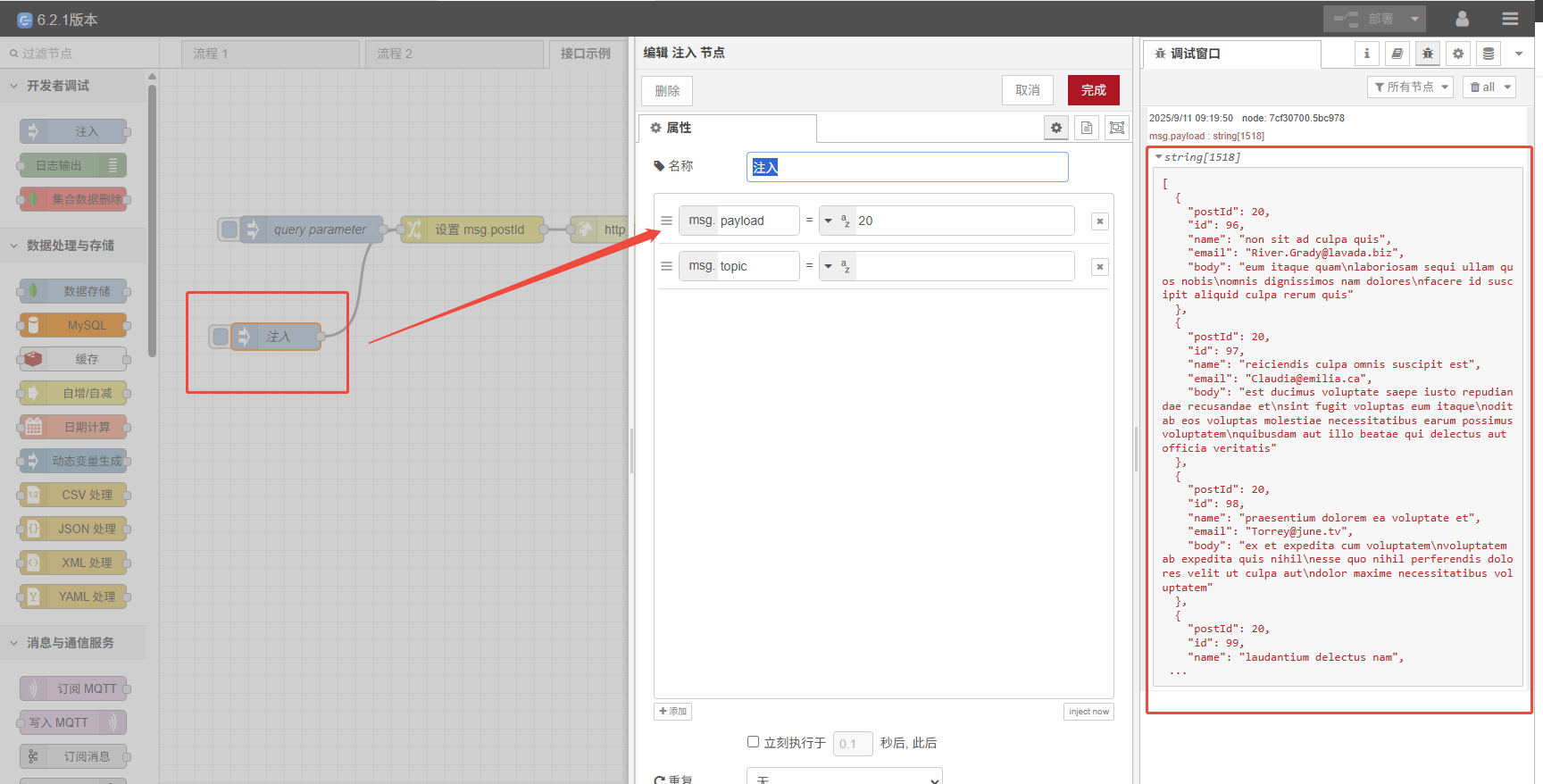
试试再添加一个 注入 节点,设置 msg.payload 为 20,看看返回的评论数是否正确。