接口操作-创建接口
创建一个 HTTP 接口
前置知识
(本示例场景使用 数字工厂 魔方环境,使用 Controller 的 6.2.1版本 实例,实例路由 stotest)
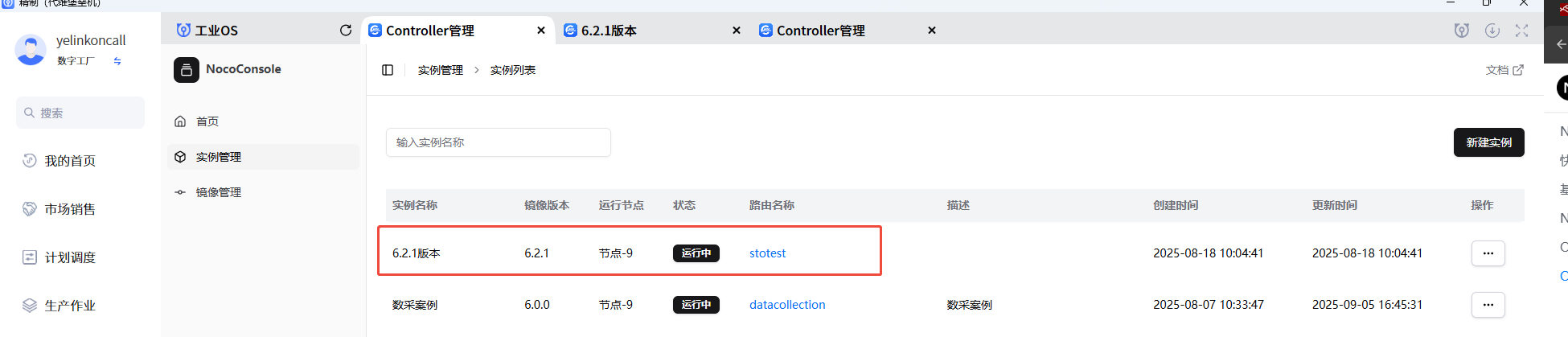
获取访问 ocs-controller 接口访问 host :在当前 ocs-controller 实例页面 按 F12 后按下图提示操作:
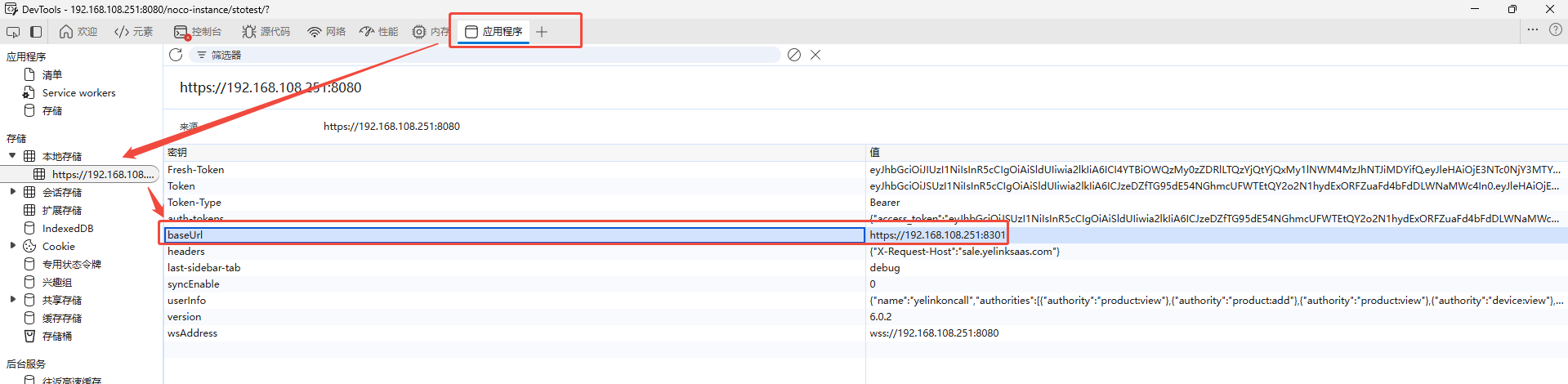
接口访问支持两种方式接入:8080 端口和 8301 端口 访问,接口路由访问规则参考Open API
接口类型: 鉴权接口(secured) 、 公共接口(public) 和 自定义接口
8080 端口 接入: 支持访问 鉴权接口(secured)、公共接口(public) 和 自定义接口
-
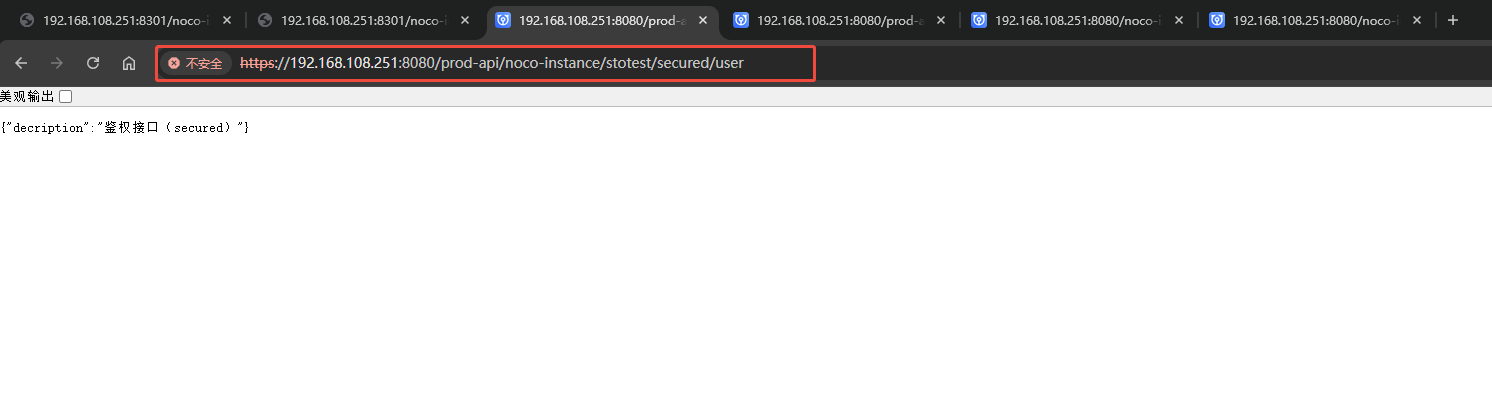
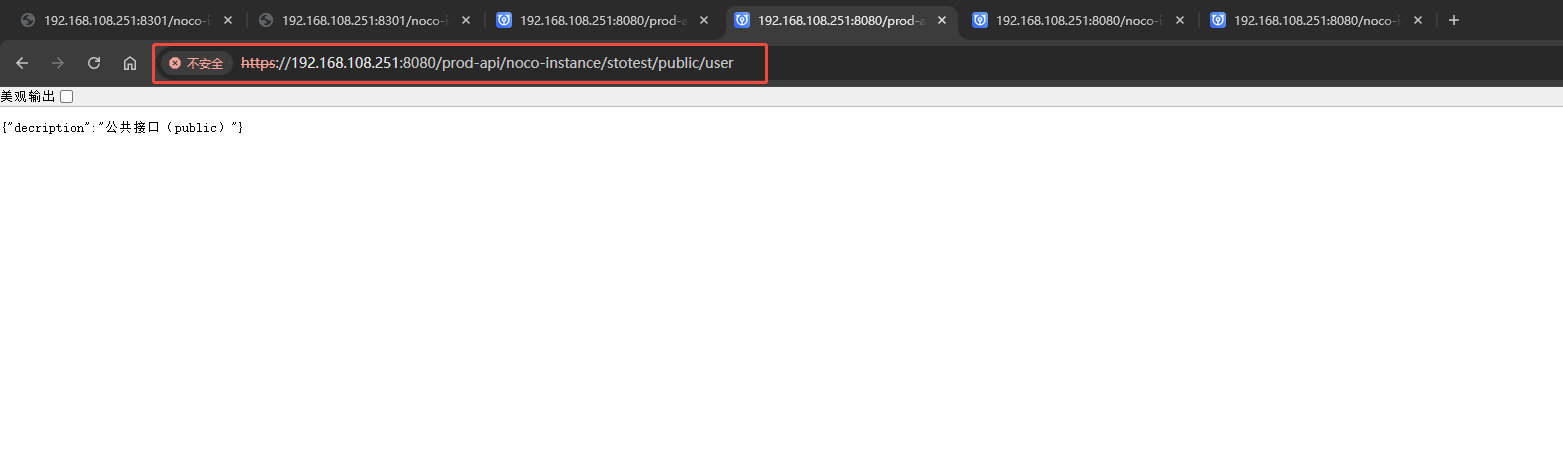
使用 prod-api 路由前缀:支持访问public接口和secured接口,不支持访问自定义接口 -
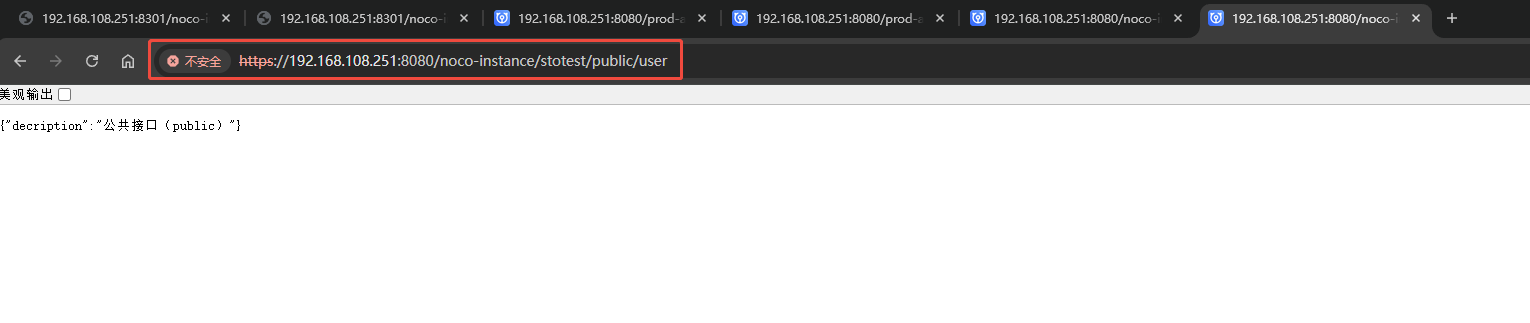
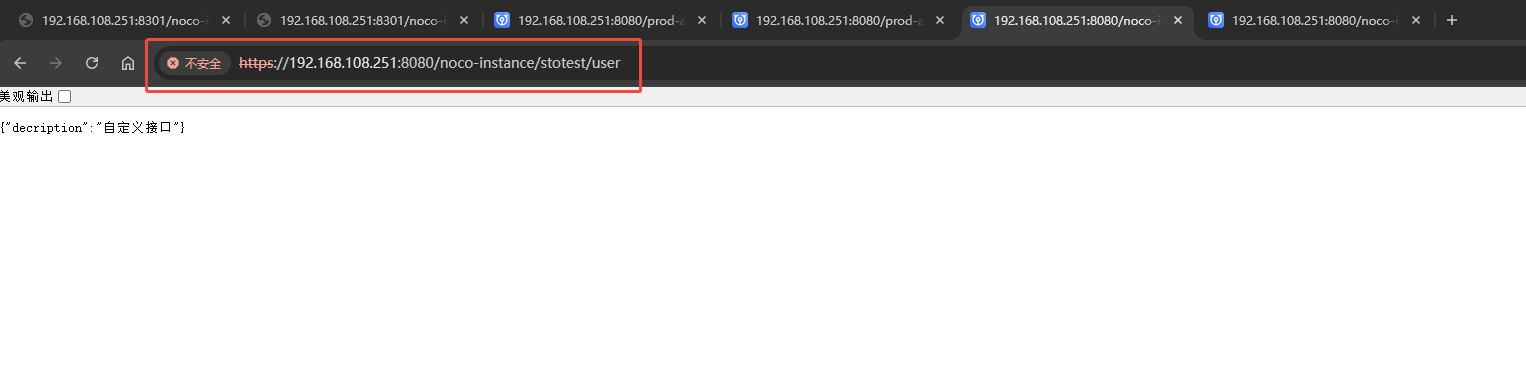
不使用 prod-api 路由前缀:支持访问公共接口(public)和自定义接口,不支持访问鉴权接口(secured)
8301 网关端口接入:支持访问 鉴权接口(secured) 、公共接口(public)
-
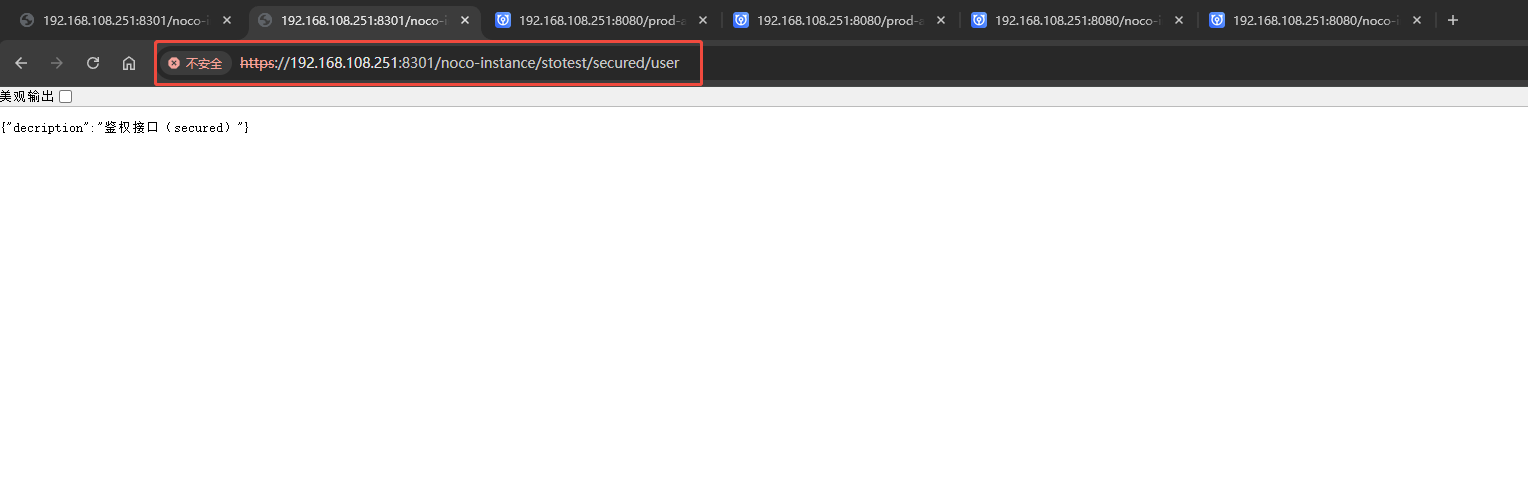
鉴权接口(secured):https://192.168.108.251:8301/noco-instance/stotest/secured/user
-
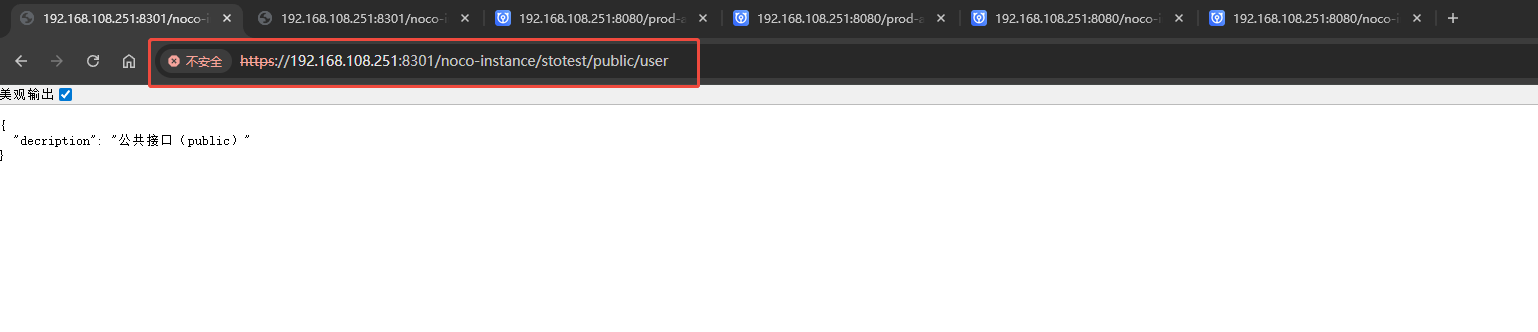
公共接口(public):https://192.168.108.251:8301/noco-instance/stotest/public/user
问题背景
使用 ocs-controller 创建接口,提供给外部访问或者流程之间访问,比如 使用 ocs-controller 创建聚合接口提供给 ocs 编辑器调用,或者是流程之间业务联动通过接口调用
解决方案
使用 接口定义 和 接口响应 节点实现接口定义和响应,在 接口定义 后面 连接其他节点以进行业务处理,比如连接 HTTP 请求 节点 或者 API 调用 调用第三方平台接口,连接 金蝶云星空 节点调用 对 ERP 操作 增删改等
示例
接口定义 和 接口响应 节点对是创建接口必须使用的节点,需要配套使用。任何以 接口定义 节点开头的流都必须具有到 接口响应 节点的路径,否则请求将会超时。
接口响应 节点使用其接收消息的payload属性作为接口响数据,也就是我们将需要返回的数据赋值给 msg.payload ,接口响应 会自动读取 msg.payload 的数据返回。
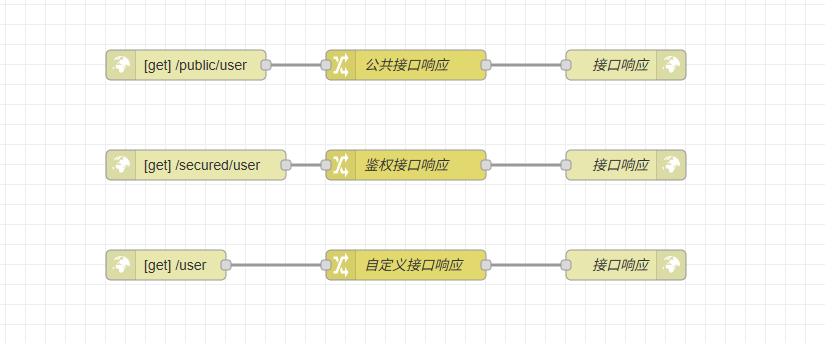
示例JSON
[{"id":"4a6cee92a5ab32c3","type":"http in","z":"65b5dbf44a0ca401","name":"","url":"user","method":"get","upload":false,"swaggerDoc":"","advancedoptions":true,"apiAuth":"public","x":340,"y":80,"wires":[["fc74da3222723de4"]]},{"id":"fc74da3222723de4","type":"change","z":"65b5dbf44a0ca401","name":"公共接口响应","rules":[{"t":"set","p":"payload","pt":"msg","to":"{\"decription\":\"公共接口(public)\"}","tot":"json"}],"action":"","property":"","from":"","to":"","reg":false,"x":560,"y":80,"wires":[["e89e2edeb11b4e72"]]},{"id":"e89e2edeb11b4e72","type":"http response","z":"65b5dbf44a0ca401","name":"接口响应","statusCode":"","headers":{},"commonTemplate":false,"responseCode":0,"responseCodeType":"num","responseData":"payload","responseDataType":"msg","responseMsg":"success","responseMsgType":"str","x":780,"y":80,"wires":[]},{"id":"37e9141db378006d","type":"http in","z":"65b5dbf44a0ca401","name":"","url":"user","method":"get","upload":false,"swaggerDoc":"","advancedoptions":true,"apiAuth":"secured","x":350,"y":180,"wires":[["b4d45e4520208ccb"]]},{"id":"b4d45e4520208ccb","type":"change","z":"65b5dbf44a0ca401","name":"鉴权接口响应","rules":[{"t":"set","p":"payload","pt":"msg","to":"{\"decription\":\"鉴权接口(secured)\"}","tot":"json"}],"action":"","property":"","from":"","to":"","reg":false,"x":560,"y":180,"wires":[["4184a34feb727558"]]},{"id":"4184a34feb727558","type":"http response","z":"65b5dbf44a0ca401","name":"接口响应","statusCode":"","headers":{},"commonTemplate":false,"responseCode":0,"responseCodeType":"num","responseData":"payload","responseDataType":"msg","responseMsg":"success","responseMsgType":"str","x":780,"y":180,"wires":[]},{"id":"19ab47b3e5cf2526","type":"http in","z":"65b5dbf44a0ca401","name":"","url":"user","method":"get","upload":false,"swaggerDoc":"","advancedoptions":true,"apiAuth":"other","x":320,"y":280,"wires":[["3047c3af57c36730"]]},{"id":"3047c3af57c36730","type":"change","z":"65b5dbf44a0ca401","name":"自定义接口响应","rules":[{"t":"set","p":"payload","pt":"msg","to":"{\"decription\":\"自定义接口\"}","tot":"json"}],"action":"","property":"","from":"","to":"","reg":false,"x":560,"y":280,"wires":[["81e0a378bbde5357"]]},{"id":"81e0a378bbde5357","type":"http response","z":"65b5dbf44a0ca401","name":"接口响应","statusCode":"","headers":{},"commonTemplate":false,"responseCode":0,"responseCodeType":"num","responseData":"payload","responseDataType":"msg","responseMsg":"success","responseMsgType":"str","x":780,"y":280,"wires":[]}]
运行结果
8080 端口访问:
-
prod-api 路由前缀:
-
不使用 prod-api 路由前缀:
8301 端口访问: