接口操作-纯文本参数处理
接口定义 处理POST请求发送的纯文本数据
接口路由访问规则参考 接口操作-创建接口
问题背景
接口定义 处理POST请求发送的纯文本数据
解决方案
使用 接口定义 节点监听 POST 请求,并将 Content-Type 设置为 text/plain。通过 msg.payload 属性获取接口提交的数据。
示例
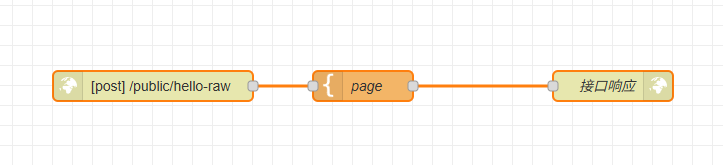
该流程包含三个节点:
接口定义节点: 配置为监听 POST 请求到 /public/hello-raw。模板转化节点: 使用 Mustache 语法生成 HTML 响应。它通过{{ payload }}访问 msg.payload 中接收到的原始数据。接口响应节点: 将 Template 节点生成的 HTML 作为响应发送回客户端。
示例JSON
[{"id":"3e1c5107.c1e3ae","type":"http in","z":"65b5dbf44a0ca401","name":"","url":"/hello-raw","method":"post","upload":false,"swaggerDoc":"","advancedoptions":true,"apiAuth":"public","x":240,"y":1940,"wires":[["cf679478.309868"]]},{"id":"cf679478.309868","type":"template","z":"65b5dbf44a0ca401","name":"page","field":"payload","fieldType":"msg","format":"handlebars","syntax":"mustache","template":"<html>\n <head></head>\n <body>\n <h1>Hello {{ payload }}!</h1>\n </body>\n</html>","x":450,"y":1940,"wires":[["4ccf6f86efddae27"]]},{"id":"4ccf6f86efddae27","type":"http response","z":"65b5dbf44a0ca401","name":"接口响应","statusCode":"","headers":{},"commonTemplate":false,"responseCode":0,"responseCodeType":"num","responseData":"payload","responseDataType":"msg","responseMsg":"success","responseMsgType":"str","x":700,"y":1940,"wires":[]}]
运行结果
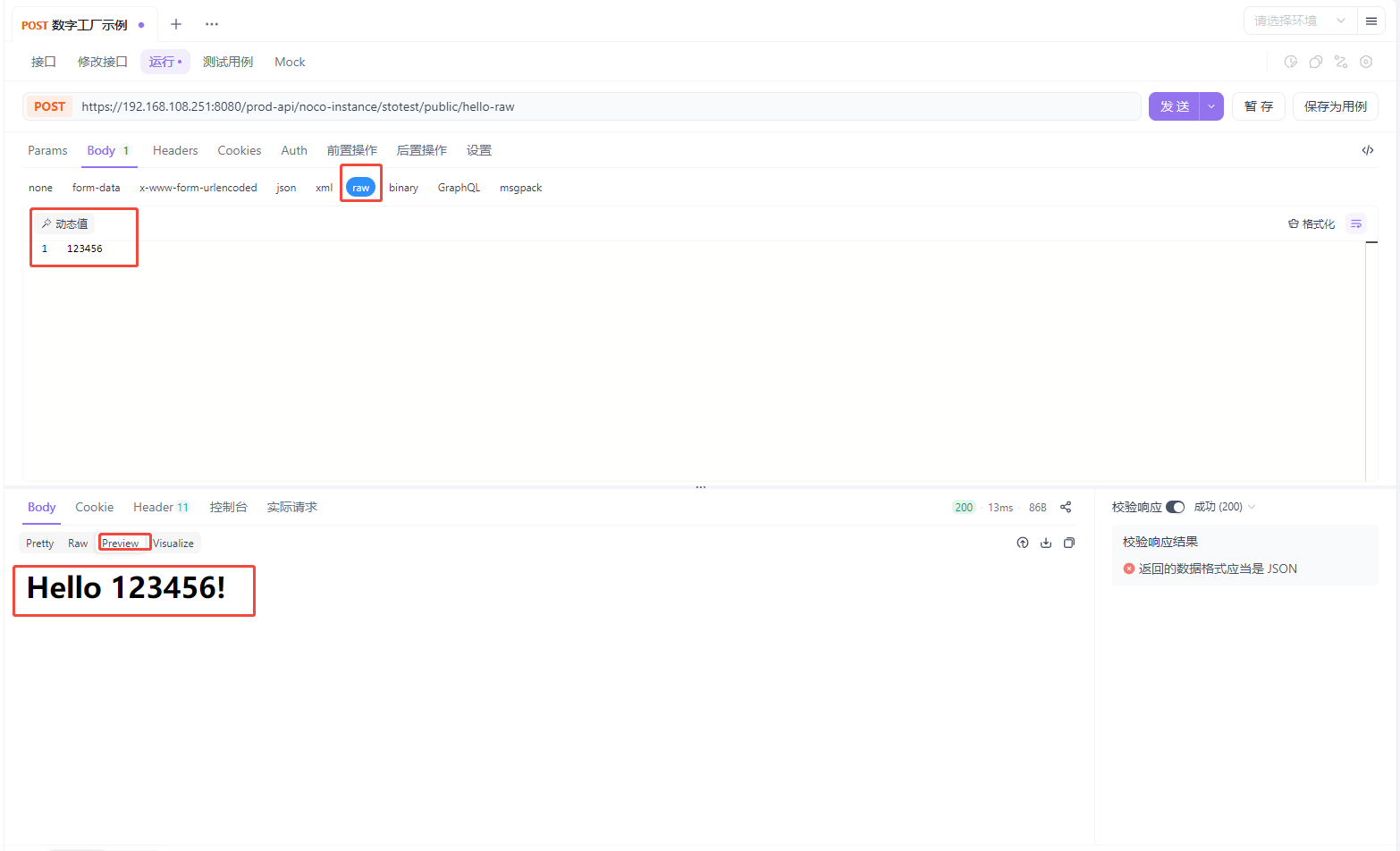
使用 apifox 发送 post请求:https://192.168.108.251:8080/prod-api/noco-instance/stotest/public/hello-json